Change of Plans / Change of Perspective

Did I start my initial storyboarding for my "Xpander" Project (here) from a Middle-out Point of View (mo-POV) rather than from a Bottom-up (bu-POV) one and did that starting point cause me to miss some vital concepts that should have been obvious if I had focused on the bottom rung, physical layer instead of jumping to a higher, abstracted level (i.e., physical key presses converted into symbolic characters) ?

I should have started with keyboard layout and the raw basics of a user's fingers pressing down on specific keys of the keyboard according to some sequence and timing, and perhaps holding down one or more of the keys for respective times and then finally releasing them perhaps all at once or according to another sequence. Then I would have perceived the possible permutations. I did not.
[edit insert: Wikipedia has cool page re IBM keybd here]
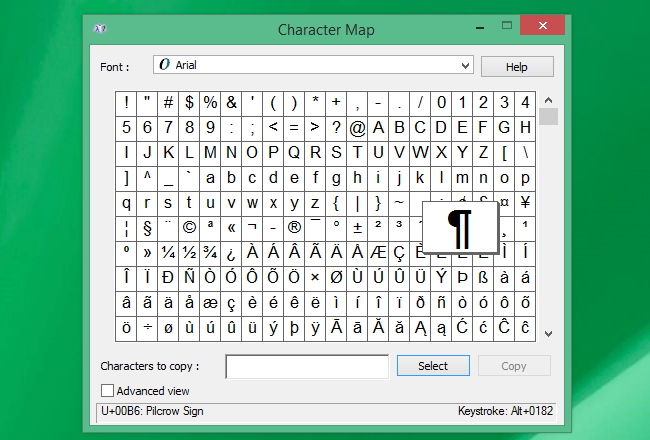
In general, keys such as SHIFT, CTRL, ALT, WIN, MENU act as pre-fix commands that are activated prior to pressing one of the alpha-numeric keys (e.g. a-z, A-Z, 0-9). By contrast, my proposed scheme is that of using one or more consecutive hits of the TILDE key as a post-fix command for causing expansion of a previously pressed one or plural alpha-numerics (a.k.a. the abbreviation). The abbreviation expansion function converts the alphanumeric predecessor into a lengthier text string (a sequence of characters) and/or into actuation of a corresponding script.
In adding the option of using pre-fix commands (e.g. giving effect to 'shift', 'alt', 'ctrl' and 'windows' and/or others ['menu'?]), my code now has to log the physical key presses [layer 1] as well as logging the characters those presses normally convert into [layer 2] and then finally the expanded results [layer 3] of what was generated in layer 2 . So a new, revised flow chart may be needed here.
TO BE CONTINUED ..
** notes to myself:
CAPS LOCK = change dictionary sets, while double tap on shift puts typer function into caps lock & third tap to unshifted
F1 = Help menus
ESC = new P3 or P4 (don't use shift key)
use dynamic slicing for aside line erase demo
F1 = Help menus
ESC = new P3 or P4 (don't use shift key)
use dynamic slicing for aside line erase demo
Obsidian WebClip is Ctrl-O
SCAMW = List of recent hit counts for:
SHIFT ::: 1= simple 1 char shft, 2= caps lock 3= unshift
SHIFT ::: 1= simple 1 char shft, 2= caps lock 3= unshift
CTRL ::: 1= simple, 2 taps = color change mode?
ALT ::: 1= simple, 2 taps = ???
MENU ::: 1= simple, 2 taps = ???
WINDOWS ::: 1= simple, 2 taps = ???
MENU ::: 1= simple, 2 taps = ???
WINDOWS ::: 1= simple, 2 taps = ???
Constraints ::: One can go crazy with infinite numbers of permutations and lose sight of the original goal. Here my goal wa snot to build some whole new word processor (running under a slow Python interpreter) but rather just to get the Xpander code working.
(1) QAB-g ::: The many abstraction layers of keyboard key presses
wiki -- IBM PC keyboard


Comments
Post a Comment